GolfSpeed
For Android · US$9.99, once
Find out how fast you actually swing — from a video, on the phone you already film with. No launch monitor, nothing strapped to the club.
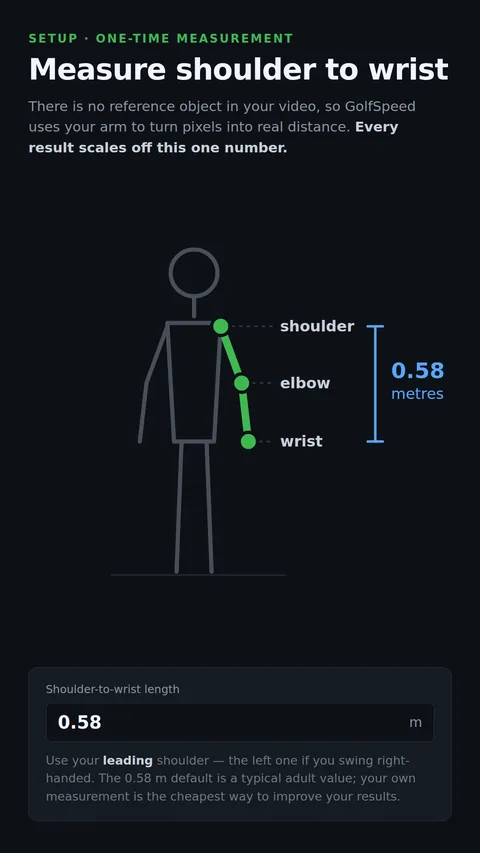
Read this before buying. GolfSpeed estimates head speed from video. It is not a radar device and it is not a substitute for a calibrated launch monitor. It needs a face-on clip with your whole body in frame, a high frame rate, and one measurement from you — your shoulder-to-wrist length, which is what turns pixels into metres. Given those, it is a good way to watch your own numbers move. Read as a certified reading, it will disappoint you.
A number, and the working behind it
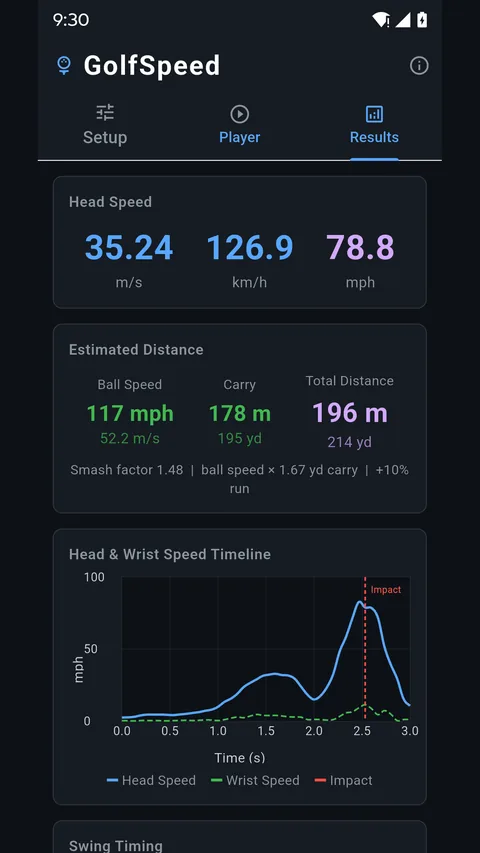
The app finds seventeen body joints in every frame, locates the three moments that define the swing — top of the backswing, impact, top of the finish — and treats your arms as one pendulum and the club as a second. Combining the angular velocity of both at impact gives club head speed, and from that, the carry that speed is good for.
It finds the swing for you
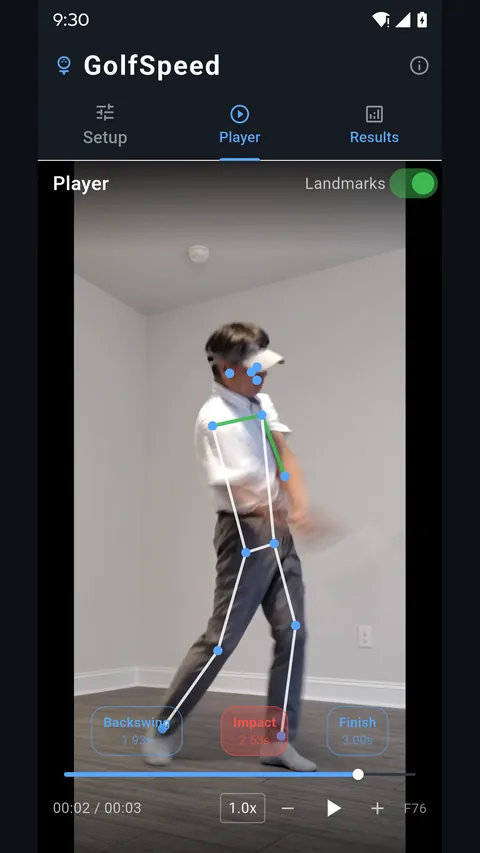
No scrubbing to find impact. The app detects the top of the backswing, impact and the finish on its own, and gives you a button for each one.
Charts across the whole swing
Head and wrist speed plotted frame by frame with impact marked, plus the timing of each phase — so a bad reading is visible as a bad curve rather than a mystery.
Trim it and keep it
Cut the clip down to the swing itself and save it to your gallery, or save a snapshot with the detected pose drawn over the frame.
Try it before you pay for it
The app has no free tier, so the browser version is the trial. It runs the same analysis, needs no sign-up, and gives you two swings a day free. If the number looks useful on your own swing, the app is the version without the meter running.
| In the browser | The Android app | |
|---|---|---|
| Price | Free | US$9.99, once |
| Swings per day | Two | No limit |
| Works offline | No | Yes — the range has no Wi-Fi |
| Frame stepping | — | Yes, with pose overlay |
| Trim and save | — | Yes, to your gallery |
| Sign-up | None | None |
One purchase, and that is the end of it
US$9.99, paid once. Google Play converts that into your own currency, so the figure on the store page may not match to the cent.
- No advertising anywhere in the app.
- No subscription, no credits, no per-swing charge.
- No account — there is no server to hold one.
Your video never leaves the phone
The app makes no network requests at all. The pose model ships inside it and runs offline, which is why the analysis works in airplane mode on the range. Nothing is uploaded, nothing is stored anywhere but your own device, and no sign-in is asked for.
Questions
How accurate is it compared with a launch monitor?
It is an estimate from video, not a measurement from radar. The number comes out of pose detection and a physical model, so camera angle, frame rate, lighting and the arm length you enter all move it. Its value is in the trend: filmed the same way each time, it will tell you honestly whether you are swinging faster than you were last month. It will not settle an argument about whose driver is quicker.
Do I need a sensor, or a launch monitor?
Neither. Nothing attaches to the club and nothing sits on the ground. An ordinary video from the phone is the whole input.
How should I film the swing?
Face-on, camera at roughly waist height, your whole body and the club in frame for the entire swing. Use the highest frame rate your phone offers — 60 fps or more is ideal — and film in good light, because motion blur is what costs you accuracy.
Why does it ask for my arm length?
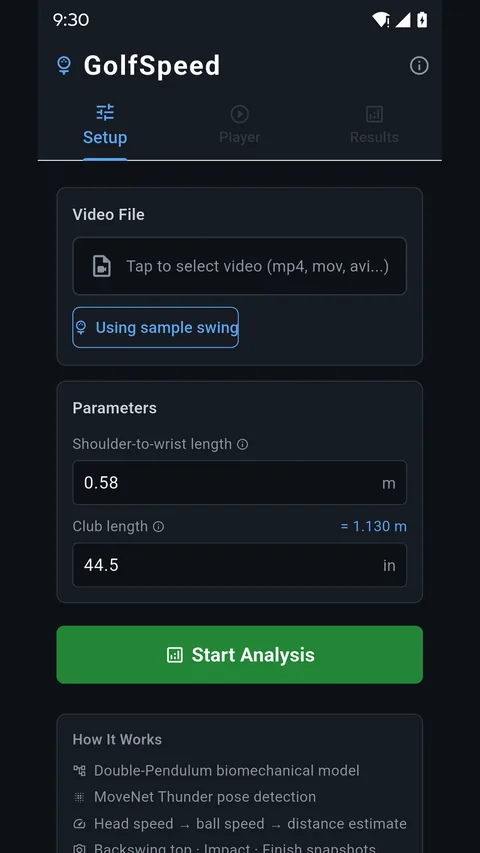
Because there is no reference object in your video. The app needs one real distance to turn pixels into metres, and your shoulder-to-wrist length is it — every result scales off that one number. The 0.58 m default is a typical adult value; measuring your own is the cheapest accuracy you will ever buy.
Is my video uploaded anywhere?
No. The app makes no network requests at all. See the privacy policy, which sets out exactly what stays on the phone.
Can I try it before paying?
Yes — the browser version runs the same analysis on two swings a day, free and without a sign-up. There is also a built-in sample swing inside the app, so you can see every screen working before you film yourself.
What you need
An Android phone running Android 7.0 or later, and a video of a driver swing filmed face-on. A tape measure, once, for your shoulder-to-wrist length.
GolfSpeed is not affiliated with, endorsed by, or sponsored by any golf equipment or launch monitor manufacturer. Google Play and Android are trademarks of Google LLC.